

Description
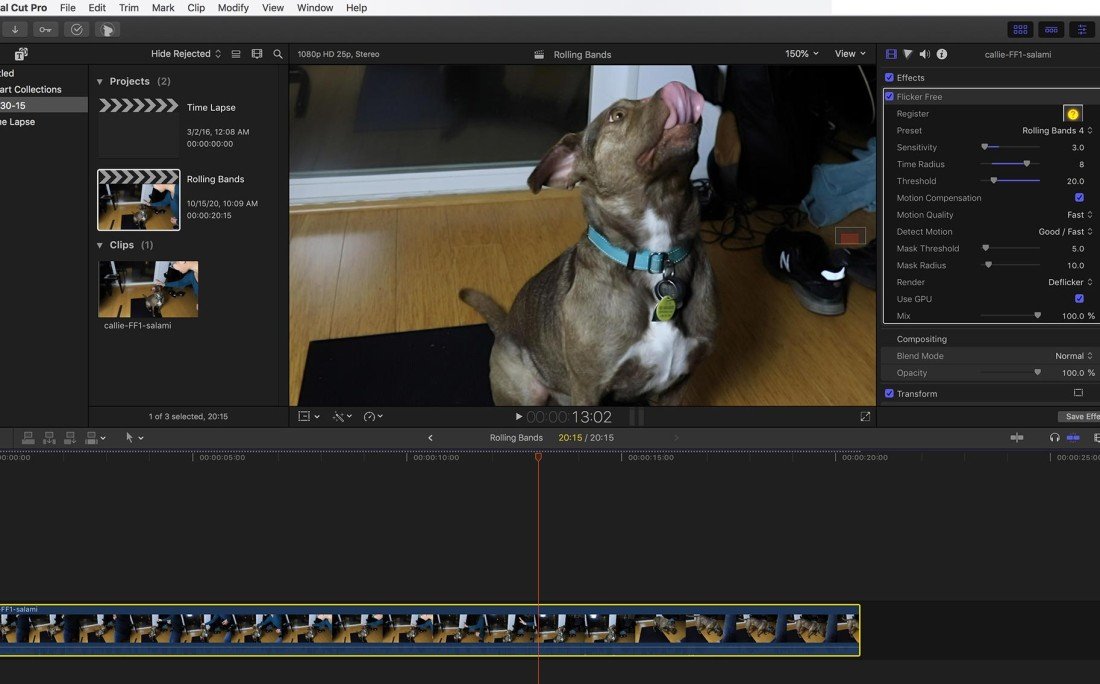
Flicker Free is a powerful new form of video deflicker designed for Mac. It solves a problem that is common across many types of video footage: lighting and electricity issues, unsynchronized cameras, time-lapse video, or slow-motion capture. The flicker free plugin is extremely effective at eliminating the wavy flickering that occurs when working with LED lights, fluorescent lamps, or computer monitors on your Mac system.
•Presets for a Simple Workflow
-Make it easy to get quick setup and configuration without having to read through a lengthy manual or documentation.
•Easy to Understand
-Video applications should make your life easier and more productive. The software should handle the heavy lifting behind the scenes so that you can get your work done quickly without watching hours of tutorial videos on your Mac. Flicker Free is an essential addition to your video editing toolkit when you have image flickering problems in your footage. There is no need to relearn complex settings every single time you use it, making your workflow seamless and efficient.
•On-the-Fly Analysis
-Simply apply it to your footage, render a couple of seconds as a test, and be ready to deliver your entire project. It analyzes frames as they are being processed, so you do not need to wait before it starts working. This real-time approach saves valuable time during your editing sessions on Mac.
•Time-Lapse Deflicker
-Time-lapse video shooting requires taking photographs every 1 second or every 1 hour and then combining them together to create a video sequence. This can result in stunningly beautiful videos, but the problem is that the lighting conditions change over time. This causes the camera to automatically adjust its exposure settings, which produces noticeable flickering. Flicker Free was specifically designed to handle time-lapse flicker removal, and it works remarkably well on Mac.
•Slow Motion
-Many light sources flicker, which leads to visible artifacts in slow-motion video footage. Standard lamps powered by alternating current (AC) can fluctuate in brightness due to electrical oscillations in the power supply. These brightness fluctuations can significantly affect your captured footage if the camera is shooting at 120 frames per second or faster. The higher the frame rate of the recorded material, the more noticeable these artifacts become. This can occur when shooting with a Phantom Flex, Sony FS700U, or GoPro HERO3 Black (which captures at 240 frames per second). After flicker free download on your Mac, you can resolve these issues efficiently.
•LED Lights
-Most people do not realize that many LED lights have a refresh frequency similar to that of a computer monitor's refresh rate. If your camera is not synchronized with that refresh rate, you will get rolling bands appearing when you view your video footage. With flicker free for mac, you can effectively address and remove these distracting rolling band artifacts from your projects.
Reviews & Comments
No comments yet. Be the first to share your experience.