






















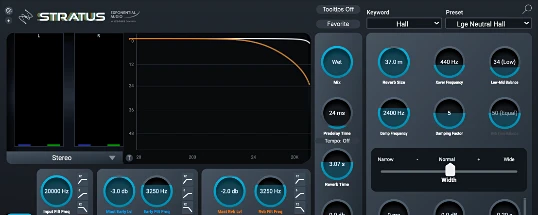
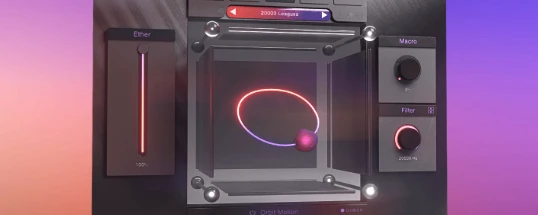














AppStorrent is a Mac-only software catalogue that indexes macOS applications, games, audio plugins and system utilities as direct downloads and torrent files. The name compresses App Store and Torrent into one word — a plain description of the model. Builds are organised by macOS release (Mavericks 10.9 through Tahoe 16) and by chip architecture: Intel x86_64, Apple Silicon arm64, or universal binary. Unlike user-submitted trackers, the catalogue is reviewed before publication — every build is checked, which is the practical reason the same users return at each macOS release cycle. No account or email is required before a download begins.
AppStorrent on Mac — the catalogue in practice
AppStorrent for Mac is the only version of the brand that has ever existed. Every file in the catalogue is a .dmg, .pkg or .zip — the disk image formats macOS Gatekeeper recognises without extra tooling. The site divides into four browse paths: Programs, Games, Plugins, and macOS (full system installer builds). The download workflow is the same one Mac users have followed for years: mount the image, drag the app bundle to /Applications, eject. Apple Silicon changed nothing essential. Most current builds are universal binaries that run natively on M1 through M4 without Rosetta, and Intel-only titles are called out explicitly before you commit to a multi-gigabyte download.
File formats and checksum verification
Every listing publishes the file size, build number, supported macOS range, and an SHA-256 checksum in the post body. The intended verification flow is to run shasum -a 256 against the downloaded file in Terminal and compare the result with the published value before opening the disk image. Any mismatch usually signals a tampered re-upload or a corrupted download from a slow mirror. The convention has held since around 2018; long-time users in the comment section flag missing or mismatched checksums quickly, which is part of the property's quality-control loop.
Is AppStorrent safe in 2026?
The safety question depends almost entirely on which domain you reached. The original property has a consistent track record across independent checksum threads through 2024 and 2025 — posted builds match the developer's signed files, and no bundled adware has been documented in the mainline catalogue. The real exposure comes from lookalike domains: sites spelled appstorent or apptorrent that substitute a custom launcher or browser-hijack installer for the raw disk image. Three habits close most of the gap:
- Verify the URL in the address bar before clicking any download link.
- Compare the downloaded file's checksum against the SHA-256 posted in the listing comments.
- Reject any "installer" wrapper — original posts ship raw .dmg files, never custom installers.
The site itself requires no account or email, which removes one of the most common phishing vectors that affects similar communities.
AppStorrent and iOS
An appstorrent ios shelf has simply never been built, and the reasons are structural rather than editorial. Every iPhone and iPad binary has to travel through an Apple-signed delivery channel — the App Store proper or a paid enterprise certificate — which leaves third-party catalogues with no compliant way to host runnable iOS software at all. A reader who taps through to the homepage from mobile Safari is therefore offered only macOS disk images, and Files.app on iOS will refuse to do anything useful with them on a phone or tablet. People hunting sideload routes typically end up at AltStore, Sideloadly, or a TestFlight invite from the developer directly — channels the brand neither runs nor recommends. Nothing on any active mirror suggests an iPhone or iPad shelf is on the roadmap; the property remains a desktop-Mac affair end-to-end.
The mactorrent terminology — what these search terms mean
The terms mactorrent, mac torrent, torrent mac, mactorrents and torrentmac all describe the same product category: index sites whose entire catalogue is macOS software, distributed as .dmg direct downloads or .torrent files. AppStorrent fits this category alongside Torrentmac.net, RuTracker's macOS subforum, and several smaller indexes that mirror posts a day or two after the original goes live. The naming variations are interchangeable — whichever spelling a user types first usually depends on the autocomplete shown by their search engine that day. What distinguishes AppStorrent from a generic Mac software tracker is editorial review: every uploaded build is checked before publication, while community mactorrents indexes rely on flagging only after a malicious post has gone live. The practical gap shows on niche, low-traffic uploads where community policing is thinnest.
Where the AppStorrent name and the misspellings come from
The brand name is a portmanteau of "App Store" and "Torrent." Because the name is unusual and double-letter, search traffic arrives under several spellings. The canonical form is appstorrent. Common variants typed by users every month are appstorent (single "r"), apptorrent (no first "s"), and apptorent (single "r" and no first "s"). All four point to the same property. Search engines treat them as related queries, which is why mirror operators often register the variant spellings to capture overflow traffic. The original property has not officially endorsed any list of mirrors; the typed-direct domain rotates roughly every twelve to eighteen months as registrars respond to takedown notices, and frequent users tend to bookmark whichever mirror is currently up.
macOS coverage — Mavericks 10.9 through Tahoe 16
The catalogue's macOS reach is wider than any first-party storefront a Mac owner can open today. Where Apple retires App Store support roughly twelve months after the next macOS ships, AppStorrent keeps Mavericks 10.9 and Yosemite 10.10 entries alive for the lingering pool of late-2012 MacBook Pros and aluminium iMacs that hit their software-update ceiling years ago. Studio staples — Photoshop, Microsoft Office, Logic Pro, Final Cut Pro — sit on the shelves in several version-pinned cuts, because a colourist or score editor often needs a specific older host so a plugin chain keeps loading. Day-to-day download volume still concentrates on Sonoma 14, Sequoia 15 and Tahoe 16. Every listing prints a Legacy or Current badge next to its build timestamp and the verified hash that closes the loop.
Windows — there is no AppStorrent equivalent
The Windows column on the comparison sheet stays empty by design. AppStorrent has never run a parallel PC catalogue, and a Windows 11 or Windows 10 visitor who lands here through a stray autocomplete usually leaves quickly: a disk image with a .dmg extension is an HFS+ or APFS container the Windows shell cannot mount without a full macOS guest VM running underneath it. Readers chasing comparable software-tracker depth on the PC side generally settle for RuTracker's software board, 1337x, Rutor, or one of the smaller invite-gated boards orbiting them. The Mac-only titles that brought a visitor here in the first place — Final Cut Pro, Logic Pro, Sketch, Pixelmator Pro and similar — simply have no Windows binary in existence; their publishers shipped a Cocoa target and stopped. Anyone who insists on running them under Windows is funnelled into licensing a macOS guest inside VMware Workstation, VirtualBox or UTM, with the framerate hit and ToS questions that path implies.
How AppStorrent compares to other mac torrent indexes
Most generic indexes in this space are entirely user-submitted, which means a single listing can carry a clean build for months and then be silently replaced by a wrapped version with no audit trail. AppStorrent's editorial layer is the practical difference: the small team reviewing uploads is the same team that has maintained the property for most of a decade, and the comment threads under each listing keep continuity across macOS release cycles. That continuity is the reason users keep returning to the same property year after year, under whichever spelling their search engine surfaces first. For readers who want a single curated destination rather than a survey of every available tracker, the editorial layer is the reason to start with AppStorrent and treat other indexes as secondary mirrors.